USB4 the new standard for connectivity
The connectivity standard you choose now will shape IT support costs for years. This blog post shows why USB4 is becoming the driverless, single-cable docking standard for mixed Mac and Windows fleets. Read the blog to see the performance parity with Thunderbolt 4, lower total cost of ownership, and how to time dock decisions to your device refresh.
What is USB4 and why does it matter for our next device refresh?
USB4 is the latest USB connectivity standard designed to rethink how data, video, and power move through a single port. For IT leaders, it matters because it can simplify port configurations, docking solutions, and cabling across the organization.
When you plan your next refresh cycle, USB4 support on laptops, desktops, and docks can help you:
- Consolidate multiple ports (data, display, and power) into fewer USB4 ports
- Standardize on a smaller set of cables and adapters
- Prepare for newer peripherals that will increasingly expect USB4-level performance
In short, USB4 is less about a single feature and more about reshaping how your users connect to displays, storage, and power through one consistent interface.
How does USB4 affect our existing enterprise peripherals and docks?
USB4 is designed to work alongside many existing USB and display devices, which helps IT teams adopt it gradually rather than all at once.
In practice, this means:
- Backward compatibility: USB4 ports are typically compatible with earlier USB devices through appropriate cables or adapters.
- Docks and hubs: As you introduce USB4 docks, they can often connect to both newer USB4 systems and older USB-based peripherals, helping you bridge generations during a refresh cycle.
- Monitors and displays: Many USB4 implementations are built to carry display signals, so they can integrate with existing display setups via adapters or compatible docks.
For IT leaders, the key is to map which user groups will benefit most from USB4 (for example, power users with multiple monitors or high-speed storage) and then phase in USB4-capable docks and systems where they deliver the most value first.
What should IT leaders consider before standardizing on USB4?
Before you commit to USB4 as part of your standard build, it helps to look at a few practical areas:
- Refresh timing: Align USB4 adoption with your normal refresh cycle so you can introduce it as you replace laptops, desktops, and docks, rather than as a separate project.
- Port and dock strategy: Decide how many USB4 ports you want on standard configurations and which user groups will receive USB4-capable docks.
- Cable and accessory policy: Plan for a gradual shift in approved cables, adapters, and hubs so support teams know exactly which accessories are recommended.
- Support and training: Provide simple guidance for help desk and end users on how to use USB4 ports for data, displays, and power, reducing confusion during the transition.
By addressing these points early, IT leaders can use USB4 to reimagine connectivity standards in a way that reduces complexity over time instead of adding to it.
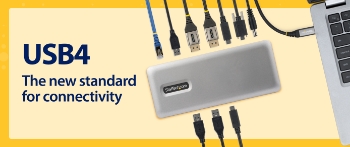
USB4 the new standard for connectivity
published by Bubble Cloud/ Bubble Social Media Marketing
Bubble Cloud provides cloud based applications and tools to small to midsize companies to help them increase their revenue. At Bubble Social Media Marketing we integrate marketing plans with the latest technology helping with digital transformation. We partner with companies like Microsoft, IBM, Lenovo, Dell, Verizon, T-Mobile, Samsung, RingCentral, Dropbox, DocuSign, Quickbooks and many more, to help your business function at the highest level.




 Sign in with LinkedIn